DITO SIM Registration by Phone Call: Is It Possible?

Last updated: May 2026. Registration requirements referenced from DITO’s official support page and NTC guidelines under Republic Act No. 11934.
No, you cannot complete DITO SIM registration by phone call. DITO has no voice-based registration channel where an agent registers your SIM while you’re on the line. The process requires uploading a photo of a valid government ID and a live selfie — neither is possible over a voice call.
Dialing 185 (free from any DITO number, available 24/7) connects you to DITO’s customer service team. They can walk you through registration steps, troubleshoot errors, or assist with account issues. The call supports your registration. It does not complete it.
Why DITO SIM Registration Cannot Be Done by Phone Call
The SIM Registration Act (Republic Act No. 11934) took effect on December 27, 2022, regulated by the NTC and DICT. It requires every subscriber across all networks, including DITO, Globe, and Smart, to submit verifiable identity documents digitally.
For DITO SIM registration, the mandatory requirements are:
None of these can be submitted over a phone call. DITO’s registration system, whether via the app, web portal, or SMS link, requires these uploads to process your application. This is an NTC requirement, not just a DITO policy.
Unregistered DITO SIMs are deactivated. Once deactivated, outgoing and incoming calls, mobile data, and SMS all stop working.
I Hope You Like to Read: How Long Does DITO SIM Registration Take?
The 3 Official Methods for DITO SIM Registration
All three methods are free and require a valid ID and selfie.
| Method | Best For | Internet Required |
|---|---|---|
| DITO App | Most users (Android and iOS) | Yes |
| Web Portal (register.dito.ph) | Desktop or laptop users | Yes |
| SMS Link | Users without a smartphone | No (after receiving link) |
Method 1: DITO App (Recommended)
The app is the fastest and most reliable option. It auto-fills your details when you photograph your ID, and your SIM status updates almost instantly after submission.
Steps:
- Download the DITO app from Google Play Store, Apple App Store, or Huawei AppGallery.
- Open the app and log in with your DITO number.
- Tap the “Register Here” banner on the dashboard.
- Select your registrant type: Filipino, Filipino Dependent/Minor, Foreign National Tourist, Foreign National with VISA, or Business Entity.
- Enter your DITO mobile number, tap “Verify,” and enter the 6-digit OTP sent to your number.
- Take or upload a photo of your valid government ID (front side).
- Take a selfie for facial verification.
- Fill in your personal details: full name, date of birth, gender, address.
- Review all entries, accept the terms and conditions, and tap “Register.”
You’ll receive a confirmation SMS once your registration is approved, usually within minutes. The app also lets you register up to 5 SIM cards at a time under one account.
Method 2: DITO Web Portal (register.dito.ph)
The web portal works on any browser, desktop or mobile. Some users report it redirects to the DITO app for the final verification step, so having the app installed is useful as a backup.
Steps:
- Go to https://register.dito.ph on your browser.
- Click “Agree” to the terms.
- Enter your DITO SIM number and receive an OTP.
- Fill out the registration form: name, birthdate, address, and ID type.
- Upload your government ID photo and selfie.
- Review your details, then click “Register.”
- Wait for a confirmation SMS on your DITO number.
Business entity registration through this portal requires an SEC or DTI Certificate of Registration plus a Special Power of Attorney (SPA).
Method 3: SMS Link
When you insert a new DITO SIM for the first time, DITO automatically sends an activation SMS with a registration link. Tapping that link opens the registration form directly.
Use this only if the app and portal don’t work for you. It doesn’t function on all phone models.
Steps:
- Insert your DITO SIM and power on the device.
- Check your SMS inbox for a message from DITO with a registration link.
- Tap the link and complete the form: ID upload, selfie, personal details.
- Submit and wait for a confirmation SMS.
How to Use 185 During DITO SIM Registration
The 185 hotline can’t register your SIM for you, but it’s the right number to call when you run into problems.
Call 185 if:
- Your OTP never arrives
- The app keeps crashing or freezing during registration
- Your ID photo keeps getting rejected
- You’re unsure whether your SIM is already registered
- You need to deactivate a lost or stolen DITO SIM
The 185 hotline is free from a DITO number, available 24/7. From a non-DITO phone or landline, call (02) 8888-6555.
You can also reach DITO support through:
- Facebook Messenger: m.me/DITOphofficial (7 AM to midnight)
- Live chat inside the DITO App (6 AM to midnight)
- Email: [email protected]
How to Check Your DITO SIM Registration Status
If your SIM was deactivated, reactivation requires speaking directly with a 185 agent.
What ID Documents Are Accepted
DITO accepts the following IDs (verified as of 2026):
- Philippine National ID (PhilSys), Passport, Driver’s License
- SSS / GSIS ID, Voter’s ID, PhilHealth ID
- Postal ID (PhilPost), PNP or AFP ID, Senior Citizen ID
- PWD ID, TIN ID, LTO Conductor ID
- Maritime Professional ID (MARINA)
- Barangay ID (issued by DILG or the barangay itself)
- Student ID from a state university or college (ages 18 and above)
For minors under 18: parent or guardian’s valid ID plus written consent is required.
For foreign nationals: passport, current Philippine address, and a return ticket with departure date.
For businesses: SEC or DTI Certificate of Registration plus Special Power of Attorney (SPA) or Board Resolution.
Troubleshooting: Common Problems and Fixes
ID photo gets rejected. Usually caused by a blurry or dark photo. Use natural lighting, hold the camera steady, and keep the file under 2MB. Resize using any image tool before uploading.
OTP not arriving. Wait 2 full minutes, then toggle Airplane mode on and off to refresh your connection. If it still doesn’t arrive, call 185.
App freezes or crashes. Log out completely, log back in, and restart registration. If it keeps happening, uninstall and reinstall the latest version from your app store.
“Invalid SIM Number” error. Check the ICCID printed on the back of your SIM card. One wrong digit causes this. You can also scan the ICCID using the camera icon in the app.
Mobile data not working after registration. Manually set your DITO APN. Go to mobile network settings, add a new APN, and enter internet.dito.ph as the APN name. Leave all other fields as default. Restart your phone.
Who Needs to Register a DITO SIM in 2026
All DITO SIM users must register under Republic Act No. 11934, prepaid, postpaid, foreign nationals, and businesses alike.
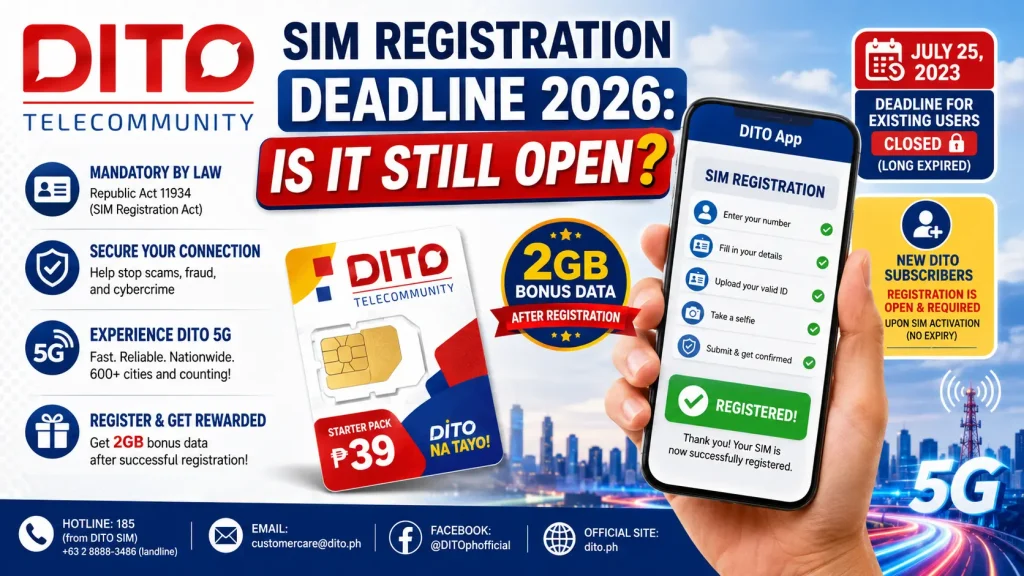
The deadline for existing subscribers was July 25, 2023. Any SIM unregistered by that date was deactivated. New SIMs bought after that date must be registered before they work for calls, texts, or data.
DITO SIM registration is completely free through all official channels.