How Long Does DITO SIM Registration Take?

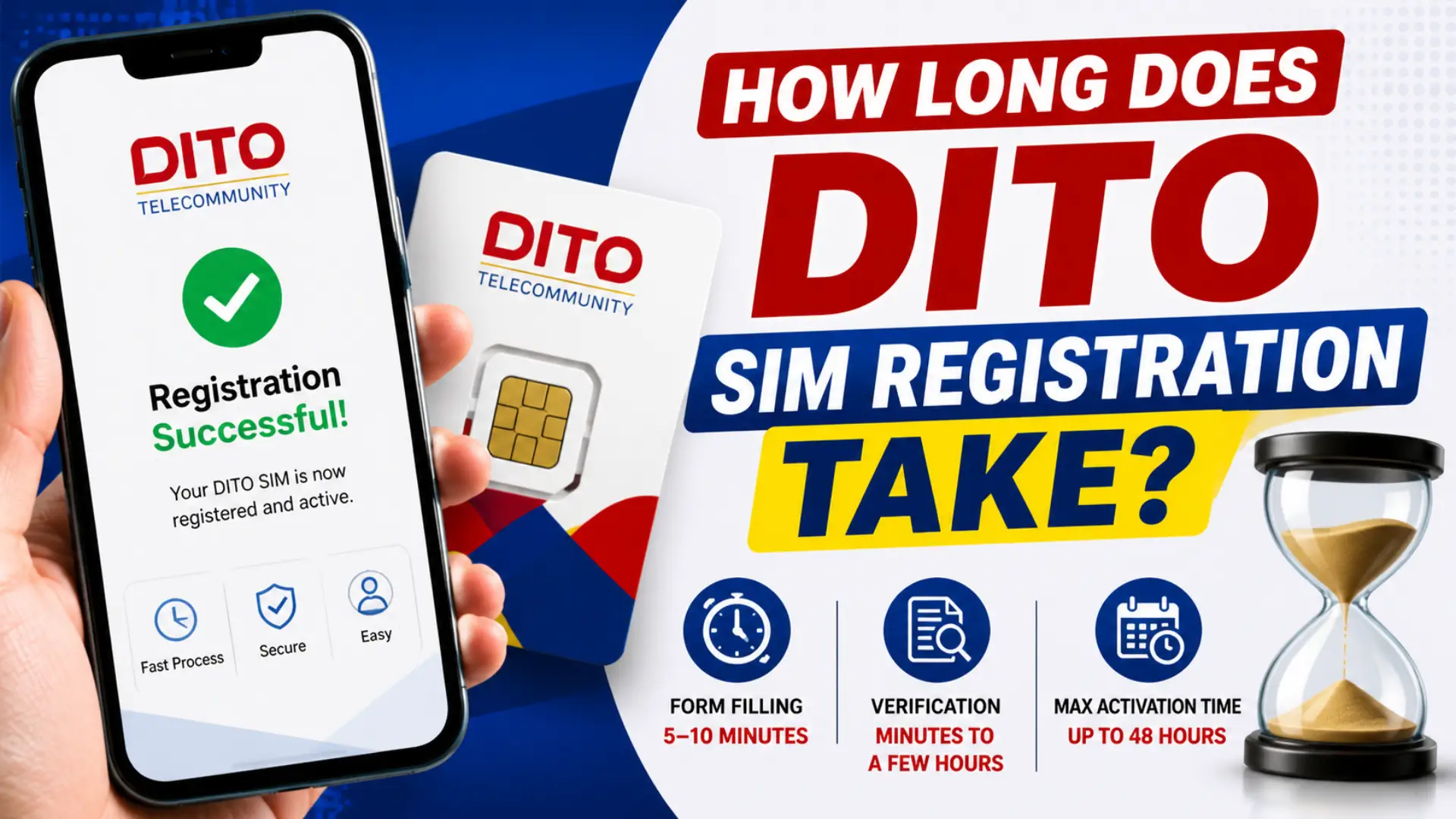
Wondering “How Long Does DITO SIM Registration Take?”. DITO SIM registration takes 5 to 10 minutes to complete the form. Once submitted, verification usually finishes within a few minutes to a few hours. In most cases, your SIM is active the same day — but DITO officially allows up to 24 to 48 hours for the process to complete.
Most people expect verification and activation to finish together. They don’t, form submission ends in 10 minutes, activation takes up to 48.
The Two Stages of DITO SIM Registration (And How Long Each Takes)
Stage 1: Filling Out the Registration Form
This part is on you. If your ID photo is ready and your internet connection is stable, the form takes about 5 to 10 minutes from start to finish.
Here’s what the form asks for:
- Your 11-digit DITO mobile number
- OTP verification (sent via SMS — usually arrives within 1 to 2 minutes)
- A photo of a valid government-issued ID
- A selfie
- Personal details: full name, date of birth, gender, and complete address
The OTP expires after 3 minutes, so have your phone nearby before you tap “Get OTP.”
I Hope you Like to Read: DITO Compatible Phones: Complete List of 4G and 5G Devices
Stage 2: Verification and Activation
After you submit, DITO’s system checks your ID and personal details against what you entered. The verification process usually takes a few minutes to a few hours. After successful verification, you receive a confirmation via SMS, email, or app notification, signaling that your SIM is fully activated and ready to use.
The 24 to 48 hour window is the outer limit, not the average. The registration process completes within 10 minutes, and approval typically takes 24 to 48 hours. If you’ve been waiting more than 48 hours with no confirmation, something went wrong — see the troubleshooting section below.
How Long DITO SIM Registration Takes by Method
Different registration methods have the same verification timeline, but some are faster to get through the form itself.
| Method | Form Completion Time | Verification Time | Notes |
|---|---|---|---|
| DITO App (Android/iOS) | 5–8 minutes | Minutes to a few hours | Fastest overall; auto-fills some ID data |
| Web portal (register.dito.ph) | 7–10 minutes | Minutes to a few hours | Works on any browser |
| SMS link (sent to new SIMs) | 8–12 minutes | Minutes to a few hours | Slower on poor connections |
The DITO App is the fastest option because it can auto-detect your SIM and pull the ICCID without manual entry. If you’re registering multiple SIMs, the app also lets you register up to 5 at a time under one account.
What Affects How Long Verification Takes
Verification time varies. These are the real factors:
Server traffic: Server congestion may cause delays; waiting a few hours and trying again may help. Peak hours, weekday evenings, weekends — tend to slow things down. Registering early in the morning usually gets faster results.
Photo quality: Blurry ID photos are the most common reason verification stalls or fails. Keep image sizes below 2MB to avoid errors. JPEG format, good lighting, no shadows on the ID text.
Data accuracy: If your name or birthdate on the form doesn’t exactly match your ID, the system flags it for manual review. Manual review takes longer than automated verification. Double-check every field before you hit Submit.
Type of registration: Standard Filipino subscriber registration is processed automatically. Minors (under 18) require a parent or guardian’s ID in addition to their own, which may take longer. Foreign nationals need a passport plus additional documents (such as an ACR ID or alien employment permit), which can extend verification time.
I Hope you Like to Read: List Of DITO SIM Promos 2026 – Unlimited Internet DITO Promo
DITO SIM Registration for Number Portability (MNP)
If you’re switching to DITO from Globe, Smart, or another network while keeping your existing number, the timeline is longer.
The SIM activation process for porting takes about 24 to 48 hours. Within that period, there may be a minimal service interruption — you won’t be able to call, text, or use data. However, the service interruption should last no longer than 4 hours.
Best time to initiate a port request is early morning on a weekday — server load is lower and the switch usually completes within the same day. If the 4-hour interruption window extends past 6 hours, call 185 immediately. Don’t wait for it to resolve on its own — delayed ports sometimes need a manual push from DITO’s backend team.
DITO gives you a free Bonus SIM during this window so you’re not completely offline while the port completes. Once porting is done, you get an onboarding email with activation steps.
The porting timeline is the same whether you apply through the DITO App or visit a DITO Experience Store in person.
How to Check Your DITO SIM Registration Status
You don’t have to guess whether your registration went through.
Troubleshooting: Registration Submitted but No Confirmation After 48 Hours
This happens. Here’s what to check:
One important note: if your confirmation message hasn’t arrived in more than 24 hours, you can repeat the registration process or contact support. Repeating registration on a number that’s already pending won’t cause a problem — the system handles duplicates.
Common Mistakes That Slow Down Registration
These are the issues that consistently cause delays or outright failures:
Using a blurry or cropped ID photo
The text on your ID must be fully readable. No glare, no shadows, no cut edges. Take the photo in daylight, not under fluorescent light directly above the card.
OTP expiring before entry
The OTP lasts 3 minutes. If you’re not ready with your details filled in, the code expires and you have to request another. Have everything prepared before requesting the OTP.
Entering an address with no house number
The form requires an address. If you don’t have a house number, type “N/A” in that field — don’t leave it blank.
Using an expired ID
DITO doesn’t accept expired government IDs. Check the expiry date on your document before you start.
Registering outside DITO Coverage
If your SIM has no signal, OTP delivery fails. Connect to Wi-Fi or move to an area with DITO coverage before registering.
Wrong SIM number Entry
Your DITO number is 11 digits starting with 0991 or 0895. Double-check it before submitting.
FAQ: DITO SIM Registration Time and Process
How long does DITO SIM registration take in total? The form takes 5 to 10 minutes. Verification takes a few minutes to a few hours. The official maximum window is 48 hours, but most registrations complete the same day.