DITO SIM Registration Deadline 2026: Is It Still Open?

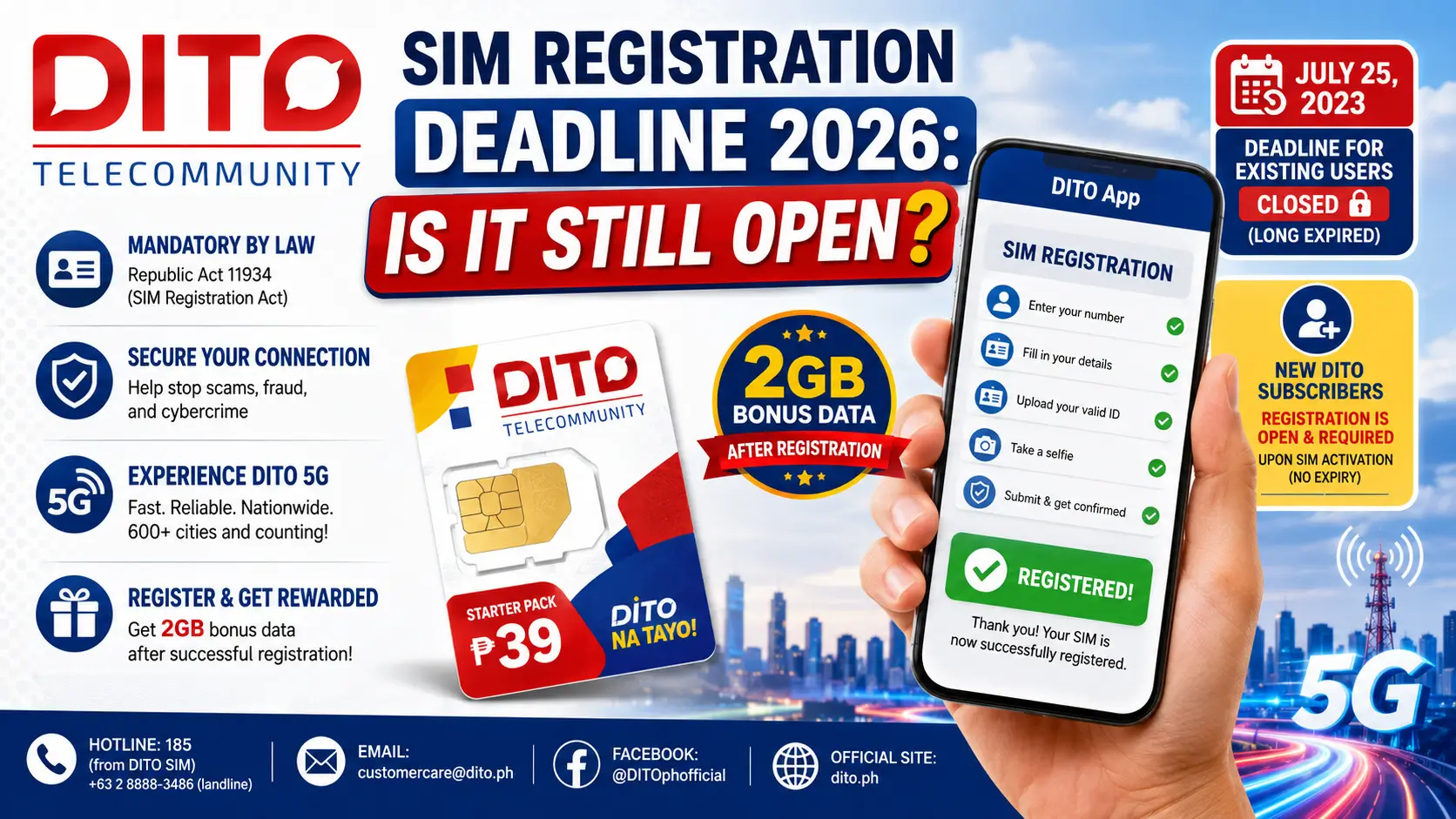
If you’re searching for the DITO SIM registration deadline 2026 and whether it’s still open — the short, honest answer is: it depends on whether you’re a new or an existing subscriber.
The original deadline for existing DITO users was July 25, 2023. That window closed years ago. Any SIM that was not registered by that date has already been permanently deactivated by DITO Telecommunity, in full compliance with Republic Act 11934, also known as the SIM Registration Act of the Philippines.
But here’s what most articles get wrong: SIM registration is still very much open and required in 2026 – for anyone buying a new DITO SIM today. Under the law, every new subscriber must register before or upon activation. There is no expiring deadline for new users — registration is now a permanent built-in step when getting any SIM card in the Philippines.
This guide clears up all the confusion. Whether you just bought a DITO SIM, had your SIM deactivated, are switching from Globe or TM, or are registering for the first time in 2026 — you’ll find everything you need right here.
What Is DITO Telecommunity and What Is the SIM Registration Act?
DITO Telecommunity is the Philippines’ third major telecommunications provider, alongside Globe Telecom and Smart Communications (PLDT). Formally launched in 2021, DITO has grown to serve over 15 million subscribers and is known for being one of the first networks in the country to deploy 5G technology at scale, with coverage spanning 600+ cities, 17 regions, and all 82 provinces.
What Is Republic Act 11934 (SIM Registration Act)?
Republic Act 11934, or the SIM Registration Act, was signed into law in October 2022 and took effect on December 27, 2022. It is enforced by the National Telecommunications Commission (NTC) and the Department of Information and Communications Technology (DICT).
The law requires every Subscriber Identity Module (SIM) card — whether prepaid or postpaid — to be linked to a verified, government-issued ID. The goal is to reduce and prevent SIM-enabled crimes, including:
- Smishing (SMS-based phishing scams)
- Online fraud and personalized text scams
- Identity theft through SIM swapping
- Fake news and disinformation spread through anonymous numbers
All three major telcos — DITO, Globe, and TM (Touch Mobile) — are legally required to enforce SIM registration for every subscriber. Non-compliance leads to SIM deactivation: no calls, no texts, no mobile data.
DITO SIM Registration Deadline 2026: What You Actually Need to Know
Here is the clearest breakdown you’ll find on this topic as of 2026:
| Subscriber Type | Registration Status | Deadline |
|---|---|---|
| Existing DITO users (pre-July 2023) | Closed. Unregistered SIMs were deactivated. | July 25, 2023 (long expired) |
| New DITO subscribers (2025–2026) | OPEN and REQUIRED | Upon SIM activation (permanent — no expiry) |
| Deactivated SIM owners | Contact DITO to explore recovery options | Call 185 or email [email protected] |
Bottom line: If you bought a new DITO SIM in 2025 or 2026, you still need to register it. The official registration portal at register.dito.ph is live. The DITO App is active. SIM registration is not over — it is simply now a permanent, ongoing requirement.
Important Clarification: Many sites confuse readers by implying the “deadline” is still upcoming or extendable. It is not. The July 25, 2023 deadline applied only to existing users. For new users from 2024 onwards, registration is a built-in activation requirement — not a time-limited window.
Step-by-Step: How to Register a New DITO SIM (Via App) — 8 Clear Steps
The DITO App method is the most reliable, fastest, and most widely recommended way to register. This process has been verified against DITO’s official registration system.
What you need before starting:
- A DITO-compatible smartphone
- Your 11-digit DITO mobile number
- One valid government-issued ID (front side, clear photo, file under 2MB)
- A clear selfie photo (no hat, no sunglasses, good lighting)
Steps:
- Download the DITO App from Google Play Store or Apple App Store. Make sure the app is published by DITO Telecommunity — double-check the developer name. Always use the latest version to avoid errors.
- Insert your DITO SIM and turn on mobile data. A few minutes after insertion, DITO will send you an SMS with a registration link as well.
- Open the DITO App and tap “Register Here” or “SIM Registration” on the main screen dashboard.
- Select your Registrant Type. Choose the option that applies to you:
- Filipino
- Filipino Dependent / Minor
- Foreign National Tourist
- Foreign National with VISA
- Business Entity
- Enter your 11-digit DITO mobile number and tap “Verify.” A 6-digit OTP will be sent to your SIM via SMS. Enter it in the verification field to proceed.
- Fill in your Personal Information: Full name, date of birth, sex, and your complete address — house number, street, barangay, city or municipality, province, and ZIP code.
- Upload your valid government-issued ID (front side only, JPEG format, max 2MB). Then upload your selfie photo — make sure your face is fully visible, sharp, and well-lit.
- Review everything carefully, tap “I Agree,” then “Submit.” You will receive a confirmation SMS once DITO has processed and approved your registration. Done!
Pro Tip: If image upload keeps failing, compress your photo to under 2MB using a free tool like Squoosh or TinyJPEG. Blurry, cropped, or oversized ID photos are the number one reason DITO registrations get rejected.
Step-by-Step: How to Register Your DITO SIM Online (Web Portal)
Prefer using a laptop or desktop? The official DITO web registration portal is a solid alternative, though it may redirect you to the DITO App during the OTP step.
- Visit register.dito.ph on any browser. Never use unofficial third-party sites — only the official DITO domain is valid and safe.
- Read and accept the Terms and Conditions by ticking “I Agree.”
- Choose your Registrant Type (same options as the app).
- Enter your DITO mobile number and request your OTP. Your SIM must be inserted in a phone that can receive SMS.
- Complete the registration form — personal details, full address, and ID information. Upload your government ID photo and selfie. Maximum file size: 2MB per image.
- Review the summary page and click Submit. A confirmation SMS will be sent to your DITO number once processing is complete.
Note: Some users report the web portal redirecting to the DITO App for final verification. This is normal — it’s part of DITO’s eKYC (electronic Know Your Customer) identity verification flow. Just complete the remaining step on the app.
How to Register DITO SIM via SMS Link
No app installed yet? You can register through the SMS link DITO sends automatically:
- Insert your new DITO SIM into your phone and restart the device.
- Wait a few minutes. DITO will send an SMS with a registration link after the SIM is detected.
- Tap the link to open the registration form in your mobile browser.
- Fill in your personal details, upload your ID photo and selfie, then enter the OTP.
- Submit and wait for the confirmation SMS.
Tip: If you don’t receive the SMS after 10 minutes, try sending a text message to any number to activate the SIM first, or turn mobile data on. This often triggers the registration SMS from DITO.
How to Check Your DITO SIM Registration Status
Want to confirm whether your SIM is already registered? Use the official check:
- Open your Messages app
- Type: SAGOT
- Send to: 8888
DITO will reply with your current registration status. This works even with zero load balance on most networks.
In-Store DITO SIM Registration: Walk-In Method
Not comfortable with online registration? Walk into any official DITO store or authorized retailer. Most stores operate Monday to Saturday.
- Bring your original valid government-issued ID (not a photocopy).
- Ask for the SIM registration form at the counter and fill it out.
- Submit the form and your ID to the store officer.
- The officer inputs your details and verifies your OTP on-site.
- You’ll receive a confirmation SMS once your SIM is fully registered and activated.
Warning: Do NOT buy pre-registered SIM cards from strangers, online resellers, or sari-sari stores. Selling or purchasing pre-registered SIMs is illegal under Republic Act 11934. The person whose ID was used for registration is legally liable for everything that SIM is used for.
DITO SIM Registration for Minors (Under 18)
Minors cannot register a SIM in their own name. The process is:
- The SIM is registered under the parent’s or legal guardian’s name
- A valid government-issued ID of the parent or guardian is required
- Written consent of the parent or guardian must be provided
- A birth certificate or legal document identifying the child is helpful
Select “Dependent / Minor” as the registrant type and use the guardian’s personal details throughout the process.
DITO SIM Registration for Foreign Nationals
Tourists and foreign residents in the Philippines can register a DITO SIM with the following documents:
For Tourists:
- Valid passport
- Proof of Philippine address (hotel booking, Airbnb confirmation, or barangay certificate)
- Return ticket showing departure date and time
For Foreign Nationals with VISA:
- ACRI Card (Alien Certificate of Registration, Bureau of Immigration)
- Alien Employment Permit issued by DOLE (if applicable)
- School registration and student ID (for foreign students)
For Persons of Concern (POCs):
- Travel or admission document from the Department of Justice
Globe and TM SIM Registration: Quick Overview
Many Filipinos use DITO alongside Globe or TM, and some are switching networks. Here’s a quick overview of how SIM registration works for these networks in 2026.
Globe SIM Registration
Globe subscribers — including Globe Prepaid, Globe Postpaid, and GoWifi users — can register through:
- MyGlobe App (Android and iOS)
- Globe website: globe.com.ph/sim-registration
- Globe Store walk-in at any SM, Robinsons, or standalone Globe outlet
For Globe Prepaid SIM replacement with the same number, visit a Globe store with your valid ID and the original SIM. Globe’s eKYC system supports number retention, so your number stays the same.
To get a new Globe SIM online, order through the Globe website or purchase from any authorized retailer. After insertion, you’ll be prompted to register via the MyGlobe App or the Globe SMS registration link.
Globe support number: +63 2 7730-1000 Globe registration page: globe.com.ph/sim-registration
TM (Touch Mobile) SIM Registration
TM is Globe’s budget prepaid brand. TM SIM registration uses the same MyGlobe App platform. TM subscribers can also walk into any Globe or TM store. Registration is free and follows the same valid ID requirements as DITO and Globe.
Comparison Table 1: DITO SIM Registration Methods
| Feature | DITO App | Web Portal (register.dito.ph) | In-Store Walk-In |
|---|---|---|---|
| Ease of Use | Very Easy | Moderate | Easy (assisted) |
| Requires Internet | Yes | Yes | No |
| Time to Complete | 5–10 minutes | 10–15 minutes | 15–30 minutes |
| OTP Verification | In-app | Via SMS / App redirect | On-site by officer |
| Available Hours | 24/7 | 24/7 | Mon–Sat (store hours) |
| Best For | Most users | Laptop/PC users | Elderly / non-tech users |
| ID Required | Upload photo | Upload photo | Original physical ID |
Comparison Table 2: DITO Prepaid vs. Postpaid SIM
| Feature | Prepaid | Postpaid |
|---|---|---|
| Billing | Load-based / pay-as-you-go | Monthly billing |
| Contract | None | Typically 24 months |
| Registration Required | Yes | Yes |
| Additional Documents | Government ID + selfie | ID + proof of billing address |
| Flexibility | High | Lower (locked-in plan) |
| 5G Access | Yes (compatible device required) | Yes |
| Best For | Students, budget users, OFW families | Power users, businesses |
Complete List of Valid IDs Accepted for DITO SIM Registration (Updated 2026)
DITO accepts a comprehensive list of government-issued IDs. Here is the full updated list:
Standard IDs (accepted since launch in 2022):
- Passport
- PhilSys / National ID
- SSS ID / UMID
- GSIS e-Card
- Driver’s License (LTO)
- NBI Clearance
- Police Clearance
- Firearms License to Own and Possess ID
- PRC ID (Professional Regulation Commission)
- IBP ID (Integrated Bar of the Philippines)
- OWWA ID
- BIR ID
- Voter’s ID
- Senior Citizen Card
- PWD Card
- Government Employee IDs (any government agency or institution, with photo)
- Student IDs from State Universities or Colleges (for students aged 18 and above)
Additional IDs Added as of January 19, 2024:
- PhilHealth ID
- PhilPost ID
- PNP ID
- AFP ID (Armed Forces of the Philippines)
- Municipality ID
- Security Guard License (issued by PNP)
- Fisher Worker Identification Card (Bureau of Fisheries and Aquatic Resources)
- LGU ID (Tupad ID under DOLE system)
- Retirement ID (Philippine Retirement Authority)
- Barangay Tanod ID
- Health Worker ID
- Agricultural ID (Department of Agriculture)
- Conductor ID (LTO)
- Maritime ID / MARINA Professional ID
- Navy ID (Philippine Navy)
- CAFGU ID (AFP)
Pro Tip: Driver’s Licenses and the PhilSys National ID are processed fastest by DITO’s eKYC system. Avoid submitting worn-out, faded, or low-contrast IDs — these cause image recognition delays or outright rejection.
WARNING: Common Mistakes and What NOT to Do
- ❌ Never buy pre-registered SIMs from anyone. It is illegal under RA 11934 and the registered name on that SIM is legally responsible for all usage.
- ❌ Never register using another person’s ID. Every SIM must be registered by the actual owner or their legal guardian.
- ❌ Never use an expired ID. DITO’s system may reject it, or flag your registration for review.
- ❌ Never upload blurry or cropped photos. This is the single most common cause of failed registrations.
- ❌ Never use third-party registration websites. Only register through the official DITO App or register.dito.ph.
- ❌ Don’t ignore your confirmation SMS. If you don’t receive it within 24 hours, contact DITO at 185 or email [email protected].
PRO TIPS: Get Your DITO SIM Registered Faster
- Prepare your ID photo before you open the app. Compress it to under 2MB using Squoosh or TinyJPEG. This alone saves 80% of upload headaches.
- Take your selfie on a plain, well-lit background. Avoid backlighting, dark rooms, or busy backgrounds — DITO’s face recognition system can struggle with these.
- Register during off-peak hours — early morning (7–9 AM) or late evening (9–11 PM) when DITO’s servers are least busy.
- Always update your DITO App first before starting. Outdated app versions are the number one cause of “registration failed” errors.
- Screenshot or save your confirmation SMS. It’s your only proof of successful registration until your account is fully updated.
- For walk-in registration, go on a weekday morning. Saturday afternoons at DITO counters in malls can have long queues.
Troubleshooting: 5 Common DITO SIM Registration Problems (And How to Fix Them)
Problem 1: “OTP Not Received”
What’s happening: The SIM may not be fully activated yet, or the network is momentarily congested.
Fix: Wait 3 to 5 minutes and try requesting the OTP again. Make sure your DITO SIM is properly inserted and mobile data is switched on. Try sending a test text to any number first — this often triggers proper SIM activation. If the OTP still doesn’t arrive after 10 minutes, restart your phone and try again. Still no luck? Call DITO at 185 using your DITO SIM.
Problem 2: “Registration Page Not Loading”
What’s happening: Server congestion, outdated app version, or an unstable internet connection.
Fix: Update the DITO App to the latest version from the Play Store or App Store. Force-close the app completely, then reopen it. Try switching between WiFi and mobile data. If you’re using the web portal, try a different browser (Chrome, Firefox, or Safari) and clear your browser cache before reloading.
Problem 3: “ID Not Accepted / Invalid ID Error”
What’s happening: The ID may not be on DITO’s accepted list, the photo is blurry or cropped, or the file exceeds 2MB.
Fix: Cross-check your ID against the complete accepted list above. Compress your image using a free online tool. Make sure all four corners of the ID are visible with no obstructions, glare, or shadow. Retake the photo in natural daylight for best results.
Problem 4: “Registration Already Submitted / Duplicate Registration Error”
What’s happening: The number may already be registered — possibly by a previous owner — or you accidentally submitted twice.
Fix: Text SAGOT to 8888 to check your registration status immediately. If the number shows as registered but you have no access to that account, contact DITO at 185 or email [email protected]. Bring your valid ID for identity verification.
Problem 5: “SIM Already Deactivated — Can I Reactivate It?”
What’s happening: Your old SIM was deactivated because it wasn’t registered before the July 25, 2023 deadline.
Fix: DITO does not automatically reactivate deactivated SIMs. Contact DITO support at 185, email [email protected], or walk in to a DITO store with your valid ID. In most cases, the fastest solution in 2026 is to purchase a new DITO SIM — starter packs are available for PHP 39 and come with data bonuses upon registration.
DITO SIM Activation and Performance Tips for 2026
Once your SIM is registered and activated, use these tips to get the best out of your DITO connection:
- Set your APN manually if mobile data isn’t working. Go to Settings > Mobile Data > APN and enter internet.dito.ph as the APN name. No username or password is needed. Save the settings and restart your phone.
- Check your area’s DITO coverage at dito.ph/network-coverage/5g. DITO’s 5G network is strongest in Metro Manila, Cebu City, Davao, Mandaue, and Bacolod. Nationwide 4G LTE coverage continues to expand in 2026.
- Confirm your phone is DITO-compatible. Not all devices support DITO’s frequency bands — especially for 5G. Check the official compatible device list at dito.ph/compatible-handsets.
- Enable VoLTE (Voice over LTE) on your device for clearer and more stable calls. Go to Settings > SIM & Network and enable VoLTE if available.
- Use the DITO App to buy load, subscribe to data promos, monitor your usage, and access exclusive subscriber offers.
- Know your DITO number prefix. All DITO mobile numbers start with: 0895, 0896, 0897, 0898, 0991, 0992, or 0993. If a number starts with a different prefix, it is not a DITO SIM.
FAQ: DITO SIM Registration 2026
Is the DITO SIM registration deadline 2026 still open?
The July 25, 2023 deadline for existing subscribers has long since passed and will not be extended. However, SIM registration in 2026 is still fully open and required for all new DITO subscribers. Any new SIM purchased today must be registered before use. The DITO App and the official portal at register.dito.ph are both active.
What happens if my DITO SIM was not registered before the 2023 deadline?
Any SIM not registered by July 25, 2023 was permanently deactivated by DITO Telecommunity under Republic Act 11934. A deactivated SIM cannot make calls, send texts, or access the internet. You will need to contact DITO at 185, visit a DITO store, or purchase a new SIM to continue using the network.
Do I need to register if I just bought a new DITO SIM in 2026?
Yes, registration is mandatory. Under the SIM Registration Act, every new SIM card must be registered before it can be used. After inserting your new SIM, you will receive an SMS registration link from DITO, or you can register immediately through the DITO App or website at register.dito.ph. The process is free and takes under 10 minutes.
What valid IDs can I use to register my DITO SIM?
DITO accepts a wide range of government-issued IDs, including: Passport, National ID (PhilSys), Driver’s License, SSS ID or UMID, PRC ID, Voter’s ID, NBI Clearance, Senior Citizen Card, PhilHealth ID, and many more. The full updated list — including additions from January 2024 — is provided in the section above.
Can I register my DITO SIM without a government ID?
No. A valid, government-issued ID is required for all Filipino adults under Republic Act 11934. There are no exceptions. For minors, the parent or guardian’s ID must be used. Foreign nationals must present a valid passport or ACRI Card.
How do I know if my DITO SIM registration was successful?
DITO sends a confirmation SMS to your registered number once the process is approved. You can also check your registration status at any time by texting SAGOT to 8888. Most registrations are processed within minutes, but it can take up to 24 hours during peak periods.
Can I register multiple DITO SIM cards?
Yes. Each SIM card must be registered separately following the same process. You will need a valid ID and a selfie photo for every individual SIM you register. DITO does not currently publish a hard cap on the number of SIMs per person, but NTC guidelines may apply limits under the SIM Registration Act’s implementing rules.
Conclusion
The DITO SIM registration deadline 2026 question has one clear, honest answer: the old deadline for existing users is permanently closed — but registration is permanently open for anyone getting a new DITO SIM today.
If your old SIM was deactivated back in 2023, call DITO at 185 or walk into any DITO store with a valid ID. If you’re a new subscriber in 2026, register right now through the DITO App — it takes less than 10 minutes, it’s completely free, and you get 2GB of bonus data the moment your registration is confirmed.
For anyone switching from Globe or TM, the process across all Philippine networks is essentially the same. Globe and TM users can register via the MyGlobe App or at any Globe outlet.
Stay registered. Stay connected.
DITO Contact Information:
- Hotline: 185 (from DITO SIM) | +63 2 8888-3486 (landline)
- Email: [email protected]
- Facebook: @DITOphofficial
- Official site: dito.ph